You know the shot exists.ShotIndex knows where.
ShotIndex indexes your entire archive (NAS and loose drives alike, footage and stills) and makes it searchable by what's actually in the frame. Search the way you remember a shot, jump to the exact segment, and deliver to DaVinci Resolve with proxies and the right LUT.
Built on a real archive.
of shoot days in the archive ShotIndex is built for
clips of footage, with the first 18,000 already searchable
to map out the entire archive
per minute of footage for AI descriptions, on your own key
Three steps between searching and your timeline.
Point it at your sources
NAS, RAID or a loose drive: anything that mounts as a folder. ShotIndex is read-only; your originals are never touched and the index lives separately.
Let the engine measure and look
Log profile, camera movement, exposure, scenes and people are measured locally, at no cost. Then the AI layer describes every shot in plain language, using your own key, with an estimate up front and a hard budget cap.
Search, pick and edit
Filter by facets, search freely or by meaning. Jump to the exact segment and send your selection to the timeline as FCPXML: proxies linked, the right LUT already applied.
Built for how editors actually search.
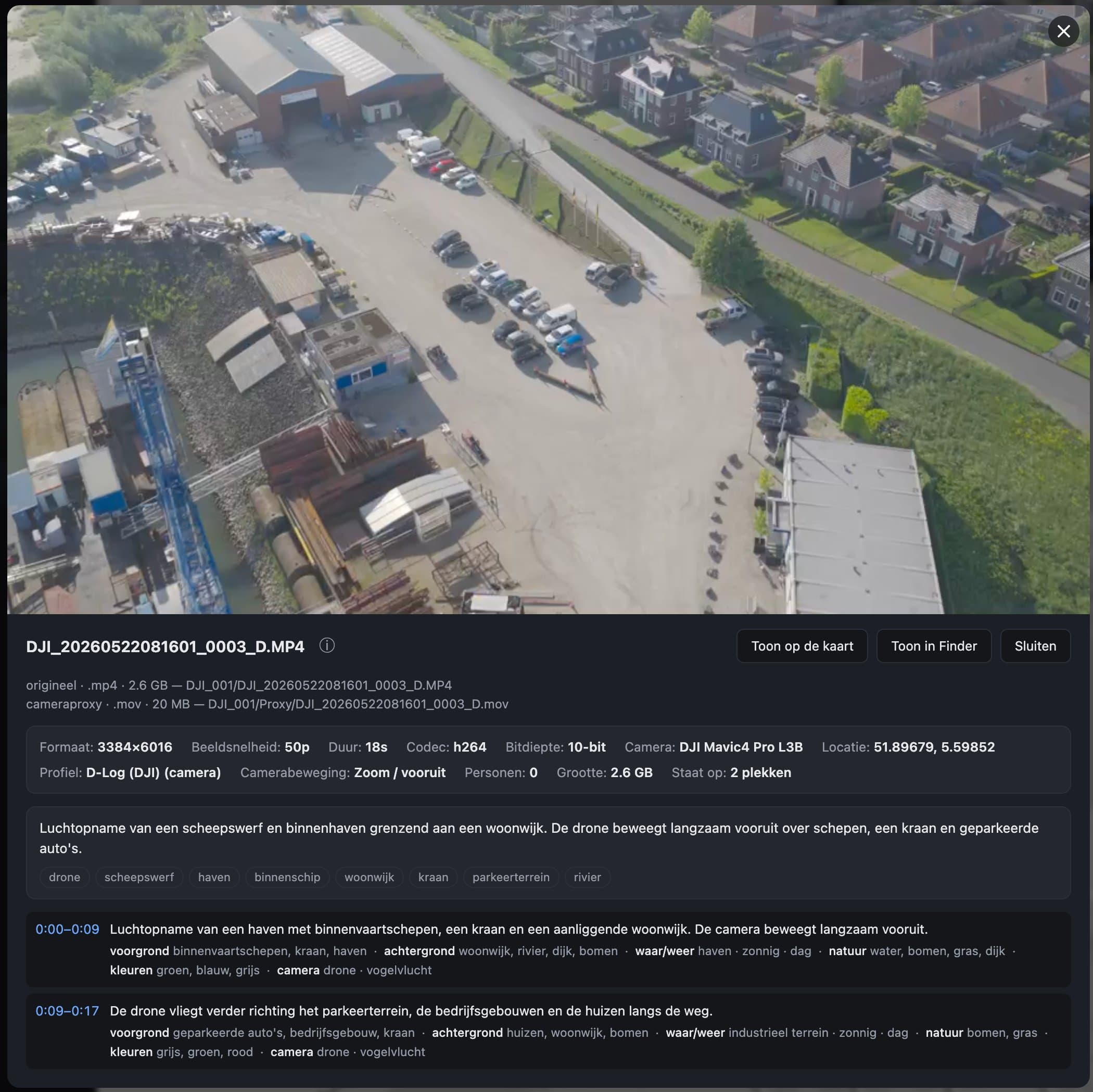
Search by what's in the frame
Every segment gets a plain-language description: location, action, mood and people. You search by what you remember.
Smart search by meaning
“Golden hour” also finds “low sun”. Embeddings run locally, so your archive stays home.
Measured, not guessed
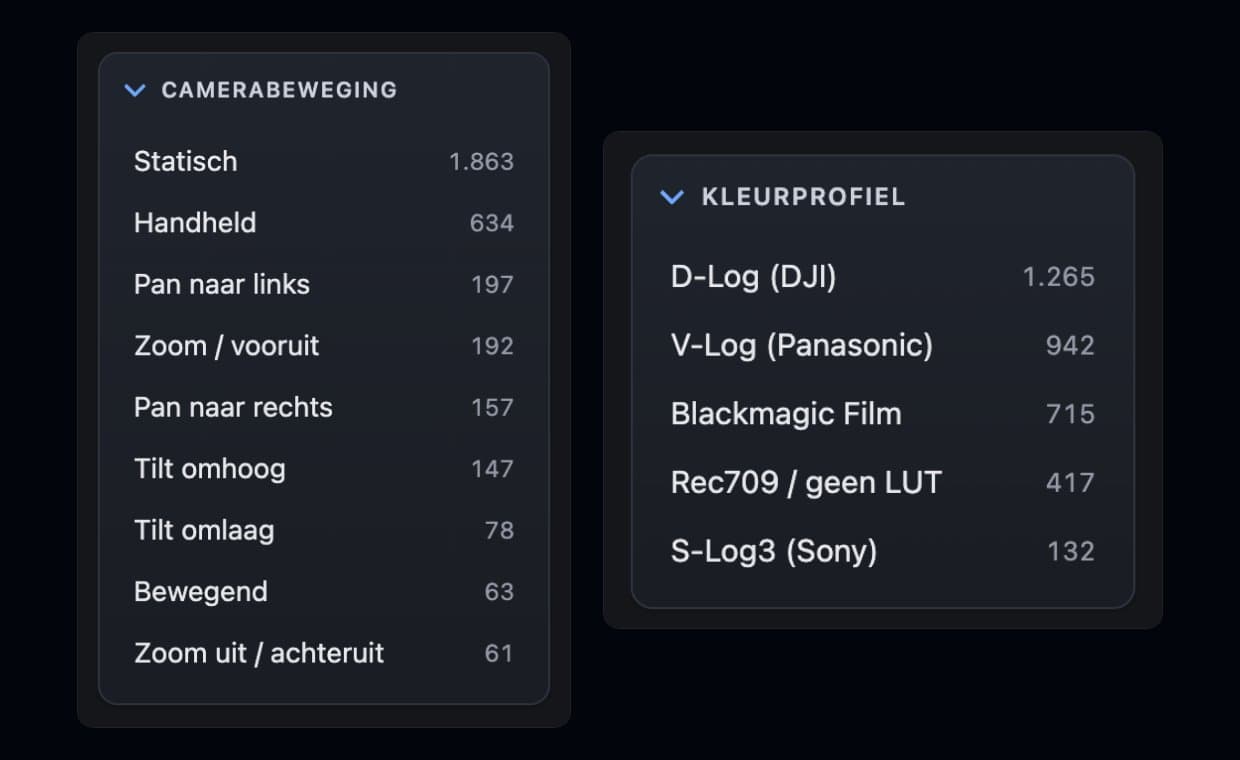
Shot size, camera movement, exposure and sharpness come from measurements: optical flow and histograms, not a model taking a guess.
Stills alongside footage
JPEG and RAW live in the same index, with a RAW and its export counted as one image. Drone stills bring coordinates and viewing direction.
Proxies with the right LUT
Lightweight proxies with log→Rec709 already baked in. ProRes RAW gets its own treatment rather than the wrong LUT.
Speech is searchable
Find interviews by the quote: what is said is included in the index for each segment.
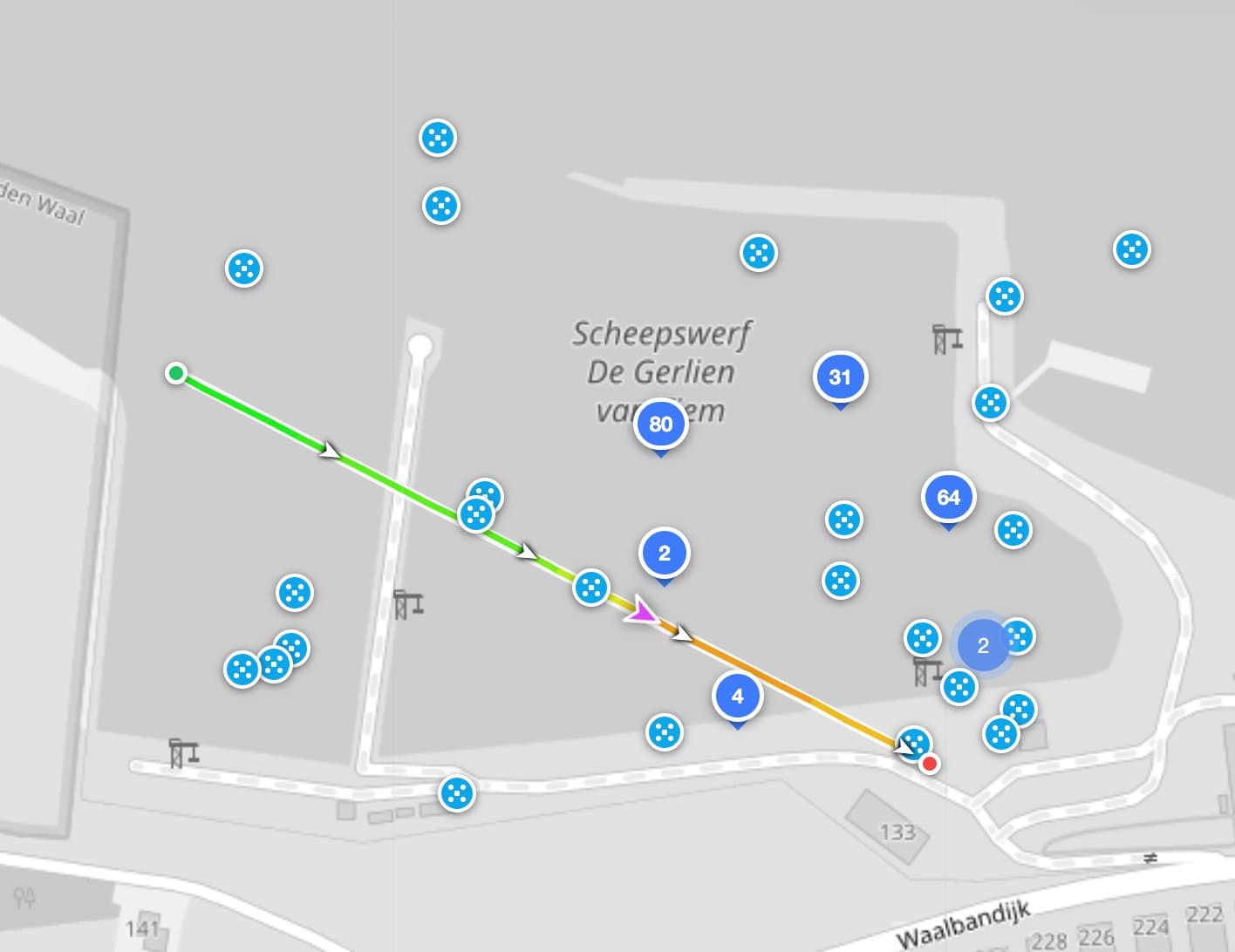
Map view
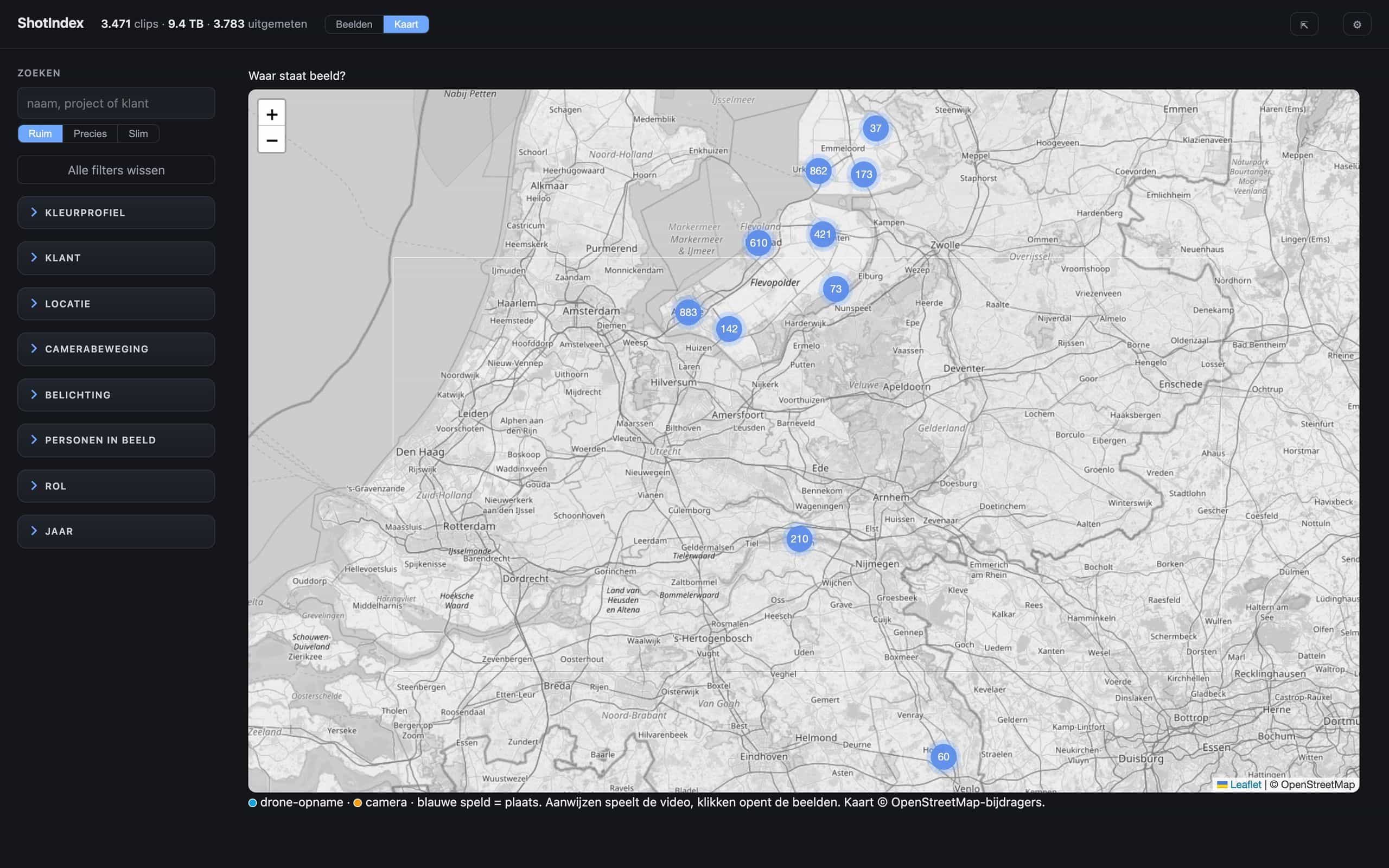
Give folders a location and see your entire archive clustered on a map. The map follows your selection.
Estimate up front, cap always
See the AI cost before you start. A hard cap pauses the queue; it also survives rate limits and a sleeping Mac.
Open formats
FCPXML out, ordinary files and folders, nothing locked in. You can stop at any time and keep everything.
Let your client review only their footage.
Publish a selection as a share and your client reviews their material online, signed in with a one-time code or an email magic link.
Only what you publish leaves your studio. Separation between clients is guarded by a cross-leak test that runs with every change.
From search result to timeline.
Export your selection as FCPXML and drop it into DaVinci Resolve or Final Cut Pro: proxies linked and the right LUT applied, so you're looking at graded-ready footage right away.
A Resolve Studio panel that searches straight from the media pool is on the way; the FCPXML route works today, including with the free version of Resolve.
Your footage stays yours.
Everything local
Index, embeddings and proxies live on your hardware. There is no ShotIndex cloud looking over your shoulder.
Your own AI key
The AI layer talks directly to Google Gemini, with your own key stored safely in your system keychain. No server of ours in between.
Honest about free tiers
If a free AI tier may use your data for training, ShotIndex says so out loud before you send client material.
“ShotIndex wasn't dreamed up in an office. It was built inside a production company where over 200 terabytes of shoot days were slowly becoming unfindable.”
What makers ask us first.
Does it work with my NAS?
Anything that mounts as a folder works: Synology, QNAP, TrueNAS, a RAID on your Mac or a loose drive. ShotIndex scans calmly in the background and is built around the pace of a real NAS.
Does ShotIndex touch my originals?
Never. Originals are only ever read. Proxies, index and embeddings live in their own folders, in a location you choose.
What does the AI layer cost?
The AI layer works exclusively with your own Google Gemini key; you create one in a few minutes at aistudio.google.com. No subscription: you buy prepaid credit (from $10). With the budget-friendly default model it costs roughly $0.01 per minute of footage; pick the richest model and count on ±$0.05. You see an estimate up front, and a hard cap pauses the queue at your limit.
Which cameras and log profiles?
Log detection looks at gamma tags, camera tags, file names and, if needed, a frame measurement; the right LUT is then picked automatically. ProRes RAW gets white balance and an S-curve instead of a log LUT.
When is Windows coming?
The beta runs on macOS; Windows is on the roadmap for release and the core was built platform-independent for exactly that. Tell us you're waiting on Windows: it weighs into the order of things.
What will ShotIndex itself cost?
Pricing will be announced at launch. During the private beta you pay nothing and you talk directly with the maker.
Get in early.
We're looking for a handful of filmmakers and production companies that take their archive seriously. Tell us briefly what you shoot and how big your archive is, and you'll hear quickly whether there's a spot. You'll be talking directly with the maker, not a sales team.